
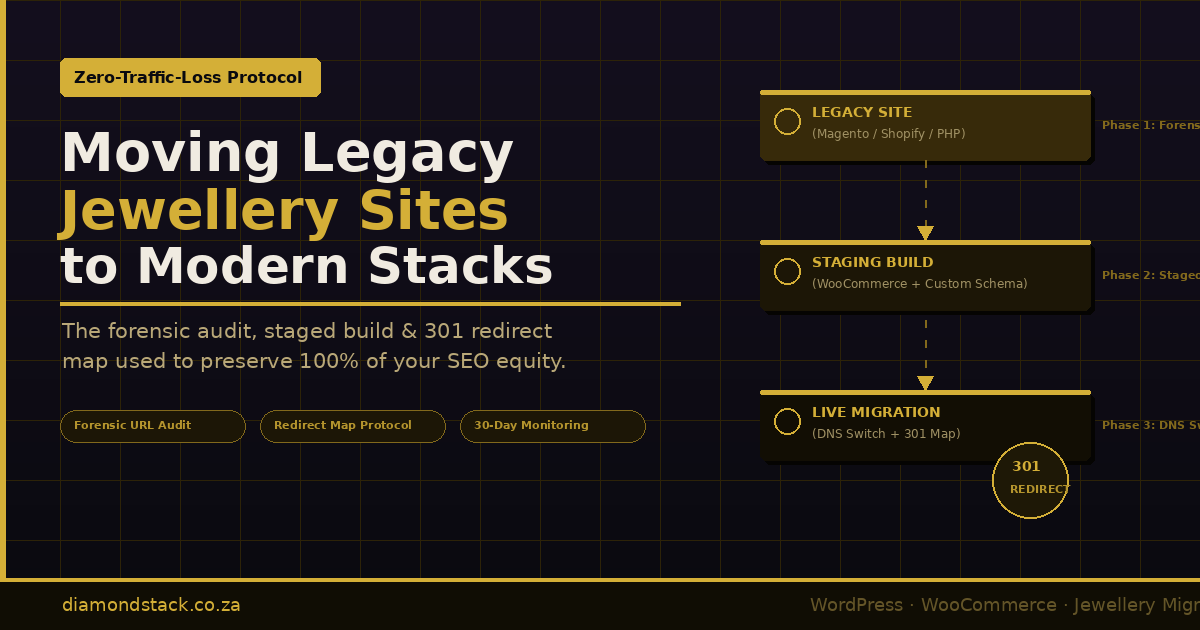
The Zero-Traffic-Loss Migration Protocol: Moving Legacy Jewellery Sites to Modern Stacks
Category: Jewellery E-Commerce Migration | Diamond Stack
Supporting Page: Jewellery E-Commerce Migration & Upgrades
Reading Time: ~16 minutes
There is a moment every jewellery store owner knows, even if they have never experienced it directly. A competitor migrates their website. Two weeks later their organic traffic is down 60 percent. Six months later they have not recovered. The rankings that took years to build — the “engagement rings Cape Town” position, the product pages that ranked for specific stone searches, the category authority accumulated through thousands of backlinks — are simply gone.
This fear is not irrational. Platform migrations done carelessly are one of the most reliable ways to destroy years of SEO equity in a single weekend. The search engine penalty for a poorly executed migration is not temporary. Google does not automatically restore rankings when you “fix it later.” The crawl budget spent re-discovering broken URLs, the authority diluted across incorrectly mapped redirects, the structured data that stops validating overnight — these are signals that compound into lasting ranking loss.
But here is what those stories leave out: the sites that lost their rankings did not lose them because migration is inherently dangerous. They lost them because the migration was treated as a technical project rather than a forensic SEO operation.
This article is the playbook we use at Diamond Stack when migrating a legacy jewellery site to a modern stack. It covers the three phases that separate a zero-traffic-loss migration from a catastrophic one: the forensic audit, the staged build with live inventory continuity, and the redirect mapping and DNS switch protocol. Every step is sequenced deliberately. None of it is optional.
Why Jewellery Sites Are Uniquely Vulnerable During Migration
Before the playbook, it is worth understanding why jewellery sites carry higher migration risk than most e-commerce verticals.
Deep product URL structures. A mature jewellery store typically has category trees that look like /engagement-rings/solitaire-rings/diamond-solitaire-rings/ — three or four levels deep, with individual product pages nested below. Each level may have accumulated independent ranking authority. A migration that flattens this structure or changes the slug conventions at any level creates URL discontinuities across hundreds or thousands of pages simultaneously.
High-value long-tail product pages. A diamond solitaire listing that ranks for “1.2 carat D VS1 round brilliant solitaire” is not easily replaced. That ranking is the result of the product’s title, structured data, content, backlink profile, and accumulated click-through history combining over time. If that URL disappears without a precise 301 redirect to the equivalent new URL, that equity is lost — not transferred, not temporarily suspended. Lost.
Legacy structured data dependencies. Jewellery sites that have been live for more than three years often have Product, Offer, and BreadcrumbList schema embedded in ways that are tightly coupled to the old platform’s URL and taxonomy structure. WooCommerce’s permalink conventions differ from Shopify’s, which differ from Magento’s, which differ from hand-coded PHP. The structured data needs to migrate with the content, not after it.
Emotional purchase category. Jewellery is a high-consideration, high-trust purchase. A customer who found a ring page through organic search, bookmarked it, and returns three weeks later to buy — only to find a 404 — does not simply try again. They go to a competitor. Traffic loss in this category is not just an SEO metric. It is directly transactional revenue.
Understanding these risks is the prerequisite to managing them. The protocol below is built around them.
Phase One: The Forensic Audit
The forensic audit is not a pre-migration checklist. It is a structured intelligence-gathering operation that produces the source of truth for every subsequent decision. Skipping or abbreviating it is the single most common cause of post-migration traffic loss.
1.1 — Full URL Crawl of the Legacy Site
The first task is a complete crawl of the live legacy site — every URL the site currently serves, regardless of whether it appears in the navigation. Use Screaming Frog SEO Spider (or an equivalent tool like Sitebulb) configured to crawl JavaScript-rendered content if the legacy site uses any client-side routing.
The crawl output should be filtered and categorised into the following groups:
Indexable URLs: Pages that return HTTP 200 and are not blocked by noindex directives. These are the pages Google currently knows about and may be ranking.
Already-broken URLs: Pages returning 404 or 410 that Google’s crawl history still references. These exist in Google Search Console as crawl errors and represent authority that is already partially bleeding. The migration is an opportunity to resolve them properly rather than simply carry them forward.
Redirect chains: URLs that currently resolve via 301 or 302 through one or more intermediate redirects before reaching the final destination. These chains need to be collapsed in the new architecture — every hop in a redirect chain dilutes the equity transfer.
Canonicalised URLs: Pages with rel=canonical pointing elsewhere. These are not indexable in their own right but may still be linked to externally. They need to be mapped in the redirect protocol.
Paginated series: Category pages with ?page=2, ?page=3 parameters or /page/2/ path structures. These are frequently overlooked and frequently linked-to. They require explicit handling in the redirect map.
At the end of this stage you should have a complete spreadsheet of every URL the legacy site has ever served, with its current HTTP status and content type. For a mature jewellery store, this spreadsheet may contain 3,000–15,000 rows. Every row needs a planned disposition before the migration begins.
1.2 — Google Search Console Performance Export
Export the last 16 months of Search Console performance data: queries, pages, impressions, clicks, average position. Sixteen months captures two full cycles of seasonal jewellery demand — Valentine’s Day, engagement season (November–January in the Southern Hemisphere), and Mother’s Day — which is essential for identifying pages whose traffic is seasonally concentrated.
Cross-reference this data against your URL crawl. Every page in the Search Console export that is returning organic clicks or impressions is a protected asset. These pages must receive direct, one-to-one 301 redirects in the new architecture. No exceptions. No redirect chains. No “close enough” mappings.
Pay particular attention to:
Category pages with high impressions but moderate clicks. These pages rank for broad query clusters and feed the discovery funnel. Losing them affects top-of-funnel visibility for months.
Product pages with recent clicks at position 3–8. These are pages on the edge of page-one visibility. A migration that disrupts them may push them to page two, where click-through rates drop by 70–80 percent. They need their redirects to be exact and their structured data to be replicated precisely in the new build.
Blog posts and editorial pages linking to product categories. Internal link equity flows from editorial content to product pages. If those editorial pages move to different URLs, the internal link graph needs to be rebuilt to match.
1.3 — Backlink Profile Mapping
Export your full backlink profile from Ahrefs, SEMrush, or Majestic. Filter for referring domains linking to specific internal URLs — not just to the homepage. Sort by Domain Rating or Domain Authority descending.
For every external backlink pointing to a specific legacy URL, that URL needs a 301 redirect to the new equivalent — regardless of whether the page itself ranked in Search Console. External backlinks carry PageRank. A jewellery blog that linked to your “engagement ring buying guide” three years ago is still passing authority to that URL today. When that URL returns 404 after migration, that authority transfer ceases.
Mark every URL in the backlink export as a redirect priority. Even a single high-DR backlink pointing to an obscure product page is worth protecting.
1.4 — Taxonomy and Category Tree Mapping
Jewellery sites accumulate complex taxonomy structures over time. What started as /rings/ may have grown into /rings/engagement-rings/, /rings/wedding-bands/, /rings/fashion-rings/, each with their own attribute filters, sub-categories, and independently ranking pages.
Document the full taxonomy tree of the legacy site — every category, every tag, every custom taxonomy term — and map it against the planned taxonomy structure of the new site. Identify:
- Categories that will be renamed (the old slug must redirect to the new one)
- Categories that will be merged (both old slugs must redirect to the merged category)
- Categories that will be split (the old slug should redirect to the primary new category, with secondary pages handled individually)
- Categories that will be eliminated (the old slug must redirect to the closest relevant parent or equivalent category)
There is no such thing as a category slug change that does not require a redirect. Even a change from /engagement-rings to /engagement-rings/ (with a trailing slash added) can fragment ranking signals in certain server configurations.
1.5 — Structured Data Inventory
Crawl the legacy site’s structured data using the Schema Markup Validator or Screaming Frog’s structured data extraction. Document every @type in use: Product, Offer, BreadcrumbList, Organization, LocalBusiness, FAQPage, and any others.
For jewellery sites specifically, record:
- Whether
Productschema includesaggregateRatingmarkup (rich result eligibility) - Whether
Offerschema includespriceValidUntilandavailabilityfields - Whether product images are referenced in schema by absolute URL (these will break if the CDN or domain changes)
- Whether
BreadcrumbListschema is hardcoded or dynamically generated by the CMS
All structured data that is currently valid and generating rich results in Search Console must be replicated exactly — including property values, nesting structure, and URL references — in the new build before the DNS switch occurs.
Phase Two: Staging the New Build with Live Inventory Continuity
The staging phase is where the new site is built in parallel with the live legacy site — and where most migrations introduce risk through impatience.
The temptation is to build the new site to 90 percent completion, migrate the product data, point the DNS, and finish the remaining 10 percent live. This is how migrations go wrong. The new site must be complete, tested, and verified against every item in the forensic audit before a single DNS record changes.
2.1 — Staging Environment Configuration
The staging environment must be configured to prevent accidental indexing before go-live. This requires three independent layers of protection — any single one can fail; all three together provide reliable isolation:
robots.txt disallow all: The staging site’s robots.txt should contain Disallow: / to block all crawlers. Verify this is served correctly before any content is added to staging.
Password protection: Apply HTTP basic authentication at the server level (not via WordPress plugin — plugins can be accidentally deactivated). This prevents both human and bot access without credentials.
noindex meta tag: Ensure every page on the staging site carries <meta name="robots" content="noindex, nofollow">. In WordPress, this is controlled via Settings → Reading → “Discourage search engines” — but confirm it is generating the meta tag correctly by inspecting page source, not just trusting the setting.
Three layers because staging environments have a documented tendency to get indexed accidentally during migrations, particularly on managed hosting platforms where snapshot URLs or preview domains are exposed publicly.
2.2 — Product Data Migration: Preserving SKUs, Attributes, and Meta
Migrating product data from a legacy platform to WooCommerce is not an export-and-import operation. It is a data transformation exercise with SEO and commercial dependencies at every field.
The migration spreadsheet — which feeds the WooCommerce import — must preserve:
Legacy SKUs. The _sku field in WooCommerce must match the SKU in the legacy system exactly. Customer order history, supplier records, and any inventory management integrations reference these SKUs. Changing them during migration creates reconciliation problems that last for years.
Product slugs. If the new site’s URL structure matches the legacy structure (which it should for all ranked product pages — see Phase Three), the product slug in WooCommerce must produce the same URL path as the legacy page. WordPress’s slug sanitisation can introduce unexpected differences — a legacy slug like 18ct-white-gold-diamond-ring may become 18ct-white-gold-diamond-ring-2 if WooCommerce detects a conflict. Audit every imported product slug before go-live.
Product descriptions as raw content, not stripped HTML. Many migration tools strip formatting from product descriptions during export. If the legacy description contained structured content — specification tables, measurement lists, care instructions — that formatting carries both user experience and semantic value. Migrate it as HTML, not plain text.
All product images at original resolution. Image URLs will change from the legacy platform to the new WordPress media library. This is expected — but every image reference in product schema, in meta tags, and in the Open Graph tags must be updated to the new URL. An image 404 on a product page does not just break the visual experience; it invalidates structured data and may suppress rich results.
Custom fields and attributes. Jewellery products typically carry attributes that have no equivalent in a generic WooCommerce install: metal type, carat weight, stone type, cut grade, ring size availability. These need to be mapped to WooCommerce’s attribute system (or a custom field schema) with the same values as the legacy platform. A product that was tagged pa_metal=18ct-white-gold in the legacy system should carry exactly that attribute value in the new build — not 18-carat-white-gold or white-gold-18k.
2.3 — Handling Live Inventory and Pricing During the Build Window
For jewellery stores with a connected diamond feed (RapNet, IDEX) or a live inventory system, the staging window creates a continuity problem: the legacy site continues to serve live pricing and inventory to real customers, while the new site on staging has a static copy of the product data that was imported on day one of the build.
The gap between those two states widens every day the build continues.
The approach we use is a dual-write sync during the final staging phase. Once the new site’s database schema and product import are confirmed stable — typically two to three weeks before the planned go-live — we configure the diamond feed sync to write to both the legacy database and the staging database simultaneously. This is achieved via a lightweight sync bridge that mirrors price and availability updates to the staging environment without touching its URL structure or page templates.
By the time the DNS switch occurs, the staging site’s inventory is current to within the last sync cycle — typically a maximum of four to six hours of price divergence, which is within acceptable tolerance for most jewellery retailers.
For retailers not operating a live diamond feed but with a manually managed catalogue, the equivalent approach is a content freeze window: a defined period (typically 48–72 hours before go-live) during which no new products are added and no existing product details are modified on the legacy site. Any changes made during this window are queued and applied to the new site first, then reflected on the legacy site. This keeps both environments aligned without the complexity of a sync bridge.
2.4 — Structured Data Implementation and Validation on Staging
Before the DNS switch, every structured data type identified in the forensic audit must be implemented, validated, and tested on the staging environment.
Run the full staging site through Google’s Rich Results Test for Product and BreadcrumbList schema on a representative sample of:
- Five high-ranking product pages (from the Search Console export)
- Three category pages
- The homepage
- The blog index and three individual blog posts
Any validation errors on staging will become rich result suppression on the live site post-migration. The structured data audit is not a post-launch task.
Specifically for jewellery sites, verify:
Productschema includesname,description,image(absolute URL),sku, andoffersOfferschema includesprice,priceCurrency,availability, andurl(pointing to the new canonical URL, not the staging domain)BreadcrumbListschema reflects the new URL structure, not the legacy URL structureOrganizationand/orLocalBusinessschema on the homepage matches theNAP(name, address, phone) data in Google Business Profile exactly — including capitalisation and punctuation
Phase Three: The 301 Redirect Mapping Protocol and DNS Switch
The redirect map is the document that determines whether the migration succeeds or fails from an SEO perspective. It is produced from the forensic audit data and reviewed against the new site’s URL structure before a single line of redirect configuration is written.
3.1 — Building the Redirect Map
The redirect map is a spreadsheet with four columns:
| Legacy URL (Source) | New URL (Destination) | HTTP Status | Notes |
|---|---|---|---|
/engagement-rings/solitaire/product-name/ | /engagement-rings/solitaire/product-name/ | 301 | Exact match — slug preserved |
/rings/engagement/ | /engagement-rings/ | 301 | Category rename |
/blog/2019/how-to-choose-a-diamond | /jewellery-guide/how-to-choose-a-diamond/ | 301 | Blog restructure |
/product/discontinued-ring-123/ | /engagement-rings/ | 301 | Discontinued — redirect to parent |
Redirect mapping principles:
One-to-one is always preferred. Every legacy URL should resolve directly to its semantic equivalent on the new site. A category page about solitaire engagement rings should redirect to the solitaire engagement rings category on the new site — not to the homepage, not to the parent engagement rings category, and not to a search results page. Google interprets a redirect to a semantically distant destination as a soft 404 and discards the equity transfer.
Never redirect everything to the homepage. This is the lazy migration pattern and it is SEO malpractice. A homepage redirect from a product page tells Google that the product no longer exists as a distinct entity. Any authority that page had accumulated is lost, not transferred.
Collapse existing redirect chains. If the legacy site already has /old-url/ → /intermediate-url/ → /final-url/, the new site’s redirect should map /old-url/ directly to the equivalent new URL. Carrying forward a three-hop chain into the new architecture means the authority transfer is diluted across four hops post-migration.
Handle pagination explicitly. /category/page/2/ does not automatically redirect to /new-category/page/2/. Add explicit redirect rules for any paginated category series that appears in the Search Console data.
Map parameter URLs. Legacy sites often accumulate Google-indexed URLs with filter parameters: /rings/?orderby=price, /diamonds/?cut=round. These need to either redirect to the canonical (non-parameterised) version of the new category, or be handled via canonical tags if the new site serves equivalent parameterised URLs.
3.2 — Implementing Redirects: Configuration Over Plugin
For a WordPress/WooCommerce build, redirects can be implemented via a plugin (Redirection, Yoast Premium’s redirect manager) or directly in the server configuration. For a migration with 500+ redirects, server-level configuration is strongly preferred.
PHP-level redirects — whether via WordPress plugin or .htaccess — require WordPress to bootstrap partially before the redirect fires. At scale, this consumes PHP workers and adds latency to every redirected request during the post-migration crawl surge. Server-level redirects (NGINX rewrite rules or Apache mod_rewrite in .htaccess above the WordPress block) resolve before PHP is invoked, reducing server load and improving redirect response times.
For NGINX:
# Group redirects in a dedicated include file for maintainability
include /etc/nginx/conf.d/diamondstack-redirects.conf;

# Example rules from the redirect map
location = /rings/engagement/ {
    return 301 https://diamondstack.co.za/engagement-rings/;
}

location ~ ^/blog/(\d{4})/(.+)$ {
    return 301 https://diamondstack.co.za/jewellery-guide/$2/;
}

# Catch-all for any unmapped legacy product URLs — redirect to closest parent
location ~ ^/product/[^/]+/$ {
    return 301 https://diamondstack.co.za/shop/;
}
For Apache (.htaccess), place redirect rules above the # BEGIN WordPress block:
# Diamond Stack Migration Redirects — placed ABOVE WordPress rewrite block
RewriteEngine On

RewriteRule ^rings/engagement/?$ /engagement-rings/ [R=301,L]
RewriteRule ^blog/([0-9]{4})/(.+)$ /jewellery-guide/$2/ [R=301,L]

# Fallback for unmapped product URLs
RewriteRule ^product/[^/]+/?$ /shop/ [R=301,L]
Test every redirect rule in a staging environment with curl -I before the DNS switch:
curl -I https://staging.diamondstack.co.za/rings/engagement/
# Expected: HTTP/2 301 | Location: /engagement-rings/
3.3 — Pre-Launch Verification Checklist
Before the DNS switch is executed, every item on this checklist must be confirmed green. Not “mostly done.” Not “we’ll fix it after.” Green.
Crawl verification:
- [ ] Full Screaming Frog crawl of staging returns zero 404 responses on URLs in the redirect map
- [ ] Zero redirect chains longer than one hop
- [ ] All canonical tags point to the correct new URL (not the staging domain)
- [ ]
robots.txton staging is configured for production (remove allDisallow:rules) - [ ] Password protection removed from staging server
- [ ]
noindexmeta tag disabled site-wide
Structured data:
- [ ] Rich Results Test passes for Product schema on five representative product pages
- [ ] BreadcrumbList schema validates on three category pages
- [ ] No absolute URLs in schema reference the staging domain
- [ ] LocalBusiness / Organization schema matches Google Business Profile NAP exactly
Performance:
- [ ] Time to first byte below 600ms on uncached product page requests
- [ ] Core Web Vitals (LCP, CLS, FID/INP) within passing thresholds on mobile
- [ ] All product images served from new domain (no hotlinks to legacy CDN)
- [ ] WooCommerce cart and checkout functional end-to-end with test order
Analytics and Search Console:
- [ ] Google Analytics 4 tracking verified on staging (confirm pageview events firing)
- [ ] Google Search Console property created for new domain if domain changes
- [ ] Change of Address tool prepared in Search Console (if migrating to a new domain)
3.4 — The DNS Switch Sequence
The DNS switch is not a single action. It is a coordinated sequence executed in a specific order over a 24–48 hour window.
Step 1 — Lower TTL 48 hours in advance. Reduce the TTL on your DNS A record from its current value (often 3600 seconds or higher) to 300 seconds (five minutes). This minimises the propagation window when you make the final change. This step must happen 48 hours before the planned switch — not the morning of.
Step 2 — Final content sync. Execute the final product data sync between legacy and new site. If operating a dual-write sync, disable it and confirm the new site’s database is current. If operating a content freeze, apply any queued content changes to the new site.
Step 3 — Switch DNS. Update the A record to point to the new server. With a 300-second TTL, most resolvers will pick up the change within five to ten minutes, though full global propagation can take up to two hours.
Step 4 — Verify redirect rules are serving on the live domain. Immediately after DNS propagation, run curl -I against ten legacy URLs from the redirect map on the new live domain. Confirm each returns 301 with the correct Location header.
Step 5 — Submit updated sitemap to Search Console. Upload the new XML sitemap to Google Search Console immediately after DNS propagation is confirmed. This initiates Google’s re-crawl of the new URL structure rather than waiting for the natural crawl cycle.
Step 6 — Fetch and render key pages in Search Console. Use Search Console’s URL Inspection tool to request indexing for the ten highest-priority pages from the Search Console export. This is not a guaranteed fast-track — but it signals to Google that these pages have changed and should be re-evaluated promptly.
Step 7 — Monitor crawl errors for 72 hours. Check Search Console’s Coverage report and the crawl error log every 12 hours for the first three days post-migration. Any 404 errors appearing here represent URLs that escaped the redirect map and need to be addressed immediately — not at the next sprint.
3.5 — The 30-Day Post-Migration Monitoring Protocol
A migration is not complete at the DNS switch. It is complete when rankings, traffic, and conversion rates have stabilised at or above pre-migration baselines — typically 30 days post-launch.
The monitoring protocol for this window:
Weekly Search Console comparison. Compare the current week’s performance data (queries, clicks, impressions, average position) against the equivalent week in the pre-migration period. A drop of more than 15–20 percent in clicks that persists beyond week two is a signal that a redirect mapping issue or structured data problem needs investigation.
Crawl error triage every 48 hours. Any new 404 errors in Search Console should be resolved within 24 hours of appearing. During a migration the crawl rate is elevated as Google re-processes the site’s URL structure. Errors that appear in this window are not legacy debt — they are active ranking disruptions.
Rank tracking for the top 50 queries. Pull the top 50 queries from the pre-migration Search Console export and track their positions daily for 30 days. Position fluctuation of two to three places is normal during Google’s re-evaluation window. A sustained drop of five or more positions on queries that were previously stable is a flag for investigation.
Conversion rate comparison. Organic traffic recovering to pre-migration levels is necessary but not sufficient. If conversion rate on product pages drops post-migration, it may indicate a structured data issue (loss of rich results), a page experience regression (Core Web Vitals), or a trust signal disruption (SSL certificate, payment badge changes). Traffic without conversions is not a successful migration.
What a Zero-Traffic-Loss Migration Actually Looks Like
When this protocol is followed in full, the post-migration traffic curve does not dip. There may be a two to three day plateau as Google processes the new URLs — this is normal and expected. By day seven to ten, traffic typically returns to pre-migration baseline. By day 30, sites with clean redirect maps and validated structured data often see a modest uplift as the new platform’s performance advantages (faster load times, cleaner crawlability, updated schema) begin to register as ranking signals.
The key word in “zero-traffic-loss migration” is the forensic audit. The redirects, the structured data, the staging protocol — these all depend on having a complete and accurate inventory of what exists before the migration begins. Every shortcut taken in the audit phase produces a corresponding cost in the post-migration recovery phase, usually at a ratio of roughly one hour of skipped audit work to one week of ranking recovery effort.
The retailers who come to us after a migration has gone wrong are almost always able to identify the exact shortcut that caused it. The URL export that stopped at 1,000 rows because the crawl took too long. The redirect map that covered products but not blog posts. The staging site that was indexed by Google because the password protection lapsed during a hosting migration two weeks before launch.
The protocol is not complex. But it is uncompromising about sequence and completeness — and that is precisely what makes it work.
Starting Point: The Migration Assessment
Every migration engagement at Diamond Stack begins with a migration assessment before any work is scoped or priced. The assessment covers the forensic audit phase outlined above — URL crawl, Search Console analysis, backlink export, taxonomy mapping, and structured data inventory — and produces a risk-graded report that identifies exactly which assets need protection, what the redirect map complexity looks like, and what the realistic timeline is for a zero-traffic-loss outcome.
This assessment is not a sales document. It is the decision-making input you need to evaluate whether migration is the right move, what it realistically involves, and whether your current situation presents any specific risks that need to be addressed before the build begins.
If you are considering migrating a legacy jewellery site — whether from Shopify, Magento, a custom PHP system, or an outdated WordPress theme — the assessment is the right place to start.
Request a Migration Assessment →
Diamond Stack is a Cape Town–based WordPress development practice specialising in high-performance e-commerce and technical SEO for jewellery retailers. All migrations are executed against a documented protocol — no shortcuts, no assumptions, no post-launch surprises.