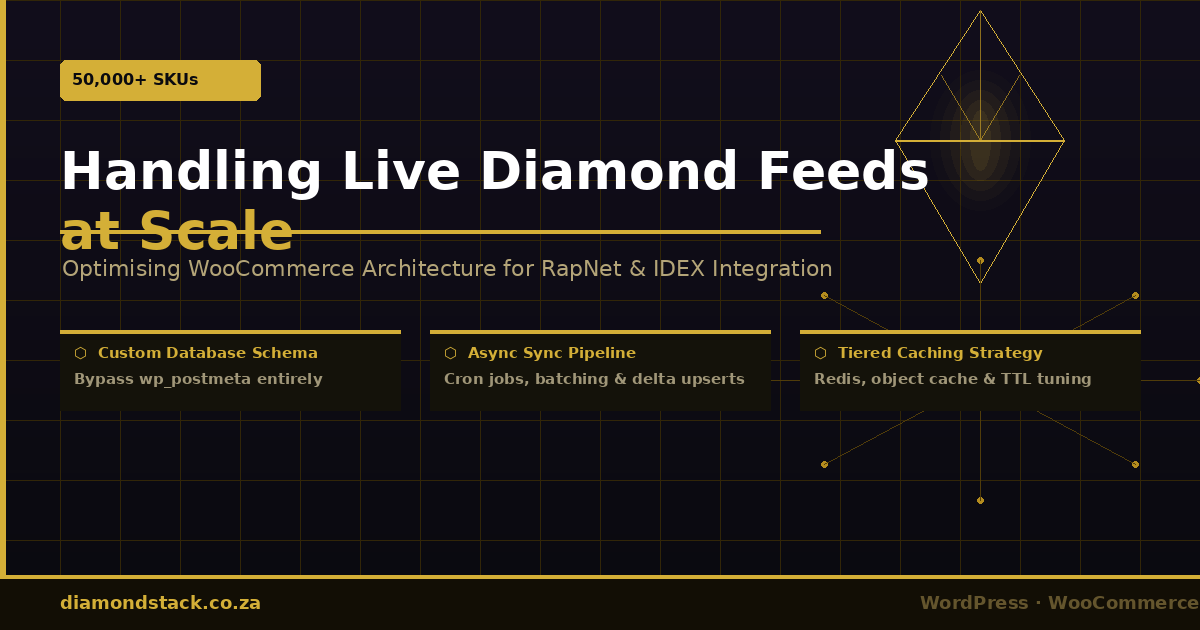
Handling 50,000+ SKUs: Optimising WooCommerce Architecture for Live Diamond Feeds
Category: Technical WooCommerce | Diamond Stack
Supporting Pages: Custom Ring Builder & Diamond API Integrations · High-Performance WooCommerce for Jewellers
Reading Time: ~14 minutes
When a jeweller connects a live diamond feed to their WooCommerce store for the first time, it usually feels like a triumph. The inventory is live. The prices update. The carats, cuts, and clarities are all there.
Then the site goes down on a Friday afternoon.
Not because anything failed dramatically — but because a cron job fired, pulled 8,000 new rows from RapNet, and attempted to upsert them all as variable product variations while three customers were simultaneously browsing the ring builder. The database buckled under the combined load, the server ran out of memory, and the front-end went blank.
This is the hidden cost of bolting a live diamond feed onto a standard WooCommerce installation. And it happens more often than most developers admit.
This article is a technical deep dive into why standard WooCommerce architecture breaks under the weight of 50,000+ diamond SKUs — and the specific deployment patterns, database strategies, and caching approaches that resolve it. If you are a jewellery retailer evaluating your current stack, or a developer tasked with building a high-throughput diamond commerce environment, this is the architecture conversation you need to have before you build, not after.
Why Standard WooCommerce Was Not Designed for This
WooCommerce is exceptional software. It handles tens of thousands of simple products reliably, and its extensibility makes it the dominant e-commerce layer on WordPress. But its data model was designed for products that change infrequently — seasonal stock updates, occasional price edits, manageable catalogue sizes.
A live diamond feed is categorically different. Here is what you are actually dealing with:
Volume: RapNet and IDEX both provide feeds that routinely exceed 50,000 individual stones. Each stone is a unique SKU with its own combination of carat weight, cut grade, colour, clarity, polish, symmetry, fluorescence, certification number, and live price. These are not variations of a shared product — each is a distinct inventory unit.
Velocity: Prices in the rough diamond market move constantly. Feed updates from RapNet can occur multiple times per day. A sync cycle that touches 50,000 rows is not an occasional maintenance task — it is a recurring infrastructure event.
Attribute complexity: When a jewellery retailer also sells finished jewellery alongside loose diamonds, the attribute surface explodes. A solitaire ring may be offered in 18-carat white, yellow, and rose gold; in platinum; across five ring sizes; and with a buyer-selected diamond from the live feed. The WooCommerce variation engine was not built to compose on-the-fly inventory from two intersecting product catalogues.
Understanding what breaks — and why — is the first step toward building something that does not.
The Database Problem: wp_posts Bloat and the EAV Penalty
At the core of WooCommerce’s architecture is WordPress’s post system. Every product, every product variation, every attribute value is stored as a row in wp_posts, with metadata hanging off wp_postmeta in an Entity-Attribute-Value (EAV) structure.
This is elegant for a CMS managing hundreds of pages and posts. It becomes a performance liability when you introduce 50,000 SKUs.
The wp_postmeta Problem
For each product variation in a standard WooCommerce installation, WooCommerce creates multiple rows in wp_postmeta. At minimum, a loose diamond variation requires entries for:
_price_regular_price_stock_sku_manage_stockattribute_pa_carat,attribute_pa_cut,attribute_pa_colour,attribute_pa_clarity, and several more
At a conservative estimate of ten metadata rows per variation, a 50,000-stone feed produces 500,000 rows in wp_postmeta from the diamond catalogue alone — before accounting for any other content on the site.
MySQL’s EAV structure does not index or query these rows efficiently under high concurrency. A SELECT that would take 12ms against a properly normalised product table can take 800ms or more against a deeply nested wp_postmeta query with multiple joins and meta_key conditions. Multiply that by thirty simultaneous users, an active search filter, and a background sync job, and you have a database that is perpetually on the edge of its connection pool.
The wp_options Autoload Trap
WooCommerce stores transient data and product attribute registrations in wp_options. Many plugins related to feeds and attribute management use autoload = yes by default, meaning WordPress loads that data on every single page request. As your attribute taxonomy grows — and with 50,000 diamonds it will grow considerably — your autoloaded wp_options payload balloons. Sites running large diamond feeds without addressing this commonly see a 2–4 MB autoload on every uncached page load.
Variable Products at Scale: The Variation Combination Explosion
WooCommerce’s variable product architecture works by pre-generating a JSON variation data object that is passed to the front-end to drive the attribute selector UI. This object grows in direct proportion to the number of variations on a product.
This is not a concern when you have ten ring size variants. It becomes critical when you attempt to model a loose diamond catalogue as a single variable product with 50,000 variations. WordPress will refuse to render the product page — the variation data JSON exceeds the system’s ability to generate and transmit it reliably, and the admin interface for managing such a product becomes completely unusable.
The solution is architectural, not cosmetic. You cannot solve this with a caching plugin.
The Right Data Model: Custom Tables for Diamond Inventory
The most important decision in a high-throughput diamond commerce build is the one most developers defer too long: do not store live diamond inventory in the native WooCommerce product table structure.
Instead, the diamond catalogue should live in a dedicated custom table — let us call it ds_diamond_inventory — with a schema designed for the specific query patterns your ring builder and search filters will produce.
CREATE TABLE ds_diamond_inventory (
    id             BIGINT UNSIGNED AUTO_INCREMENT PRIMARY KEY,
    feed_source    ENUM('rapnet','idex','rapnet_api') NOT NULL,
    supplier_id    VARCHAR(64)  NOT NULL,
    sku            VARCHAR(128) NOT NULL UNIQUE,
    carat          DECIMAL(6,2) NOT NULL,
    cut            VARCHAR(32),
    colour         VARCHAR(8),
    clarity        VARCHAR(8),
    polish         VARCHAR(32),
    symmetry       VARCHAR(32),
    fluorescence   VARCHAR(32),
    certificate    VARCHAR(64),
    lab            VARCHAR(32),
    price_usd      DECIMAL(12,2),
    price_zar      DECIMAL(12,2),
    depth_pct      DECIMAL(5,2),
    table_pct      DECIMAL(5,2),
    measurements   VARCHAR(64),
    image_url      VARCHAR(512),
    video_url      VARCHAR(512),
    availability   TINYINT(1) DEFAULT 1,
    last_synced    DATETIME,
    created_at     DATETIME DEFAULT CURRENT_TIMESTAMP,
    updated_at     DATETIME ON UPDATE CURRENT_TIMESTAMP,
    INDEX idx_carat         (carat),
    INDEX idx_cut           (cut),
    INDEX idx_colour        (colour),
    INDEX idx_clarity       (clarity),
    INDEX idx_price_zar     (price_zar),
    INDEX idx_availability  (availability),
    INDEX idx_last_synced   (last_synced),
    INDEX idx_composite     (colour, clarity, cut, carat, price_zar)
) ENGINE=InnoDB DEFAULT CHARSET=utf8mb4;
This schema provides several critical advantages over the native WooCommerce model:
Properly normalised structure. Instead of EAV lookups across wp_postmeta, your ring builder queries hit a single flat table with indexed columns. A filter for colour IN ('D','E','F') AND clarity = 'VS1' AND carat BETWEEN 1.00 AND 1.50 is a straightforward indexed range scan, not a multi-join metadata lookup.
Independent sync cycle. Updates to the diamond table do not touch wp_posts, wp_postmeta, or any WooCommerce product cache. The sync job can run without risking front-end degradation.
Controlled schema evolution. Adding a new feed field — say, a Hearts & Arrows grade from a new IDEX attribute — is an ALTER TABLE on a dedicated table, not a taxonomy modification that cascades through WooCommerce’s attribute system.
The ring builder interface reads directly from this table via a custom REST endpoint or AJAX handler, bypassing WooCommerce’s query layer entirely for diamond selection. Only at the point of purchase — when a customer selects a specific stone — does that stone enter the WooCommerce order pipeline, added programmatically as a line item with full metadata.
The Sync Architecture: Cron Jobs, Transient Data, and Queue Processing
With the data model established, the sync architecture needs to be treated with the same rigour as any production data pipeline. A naïve implementation — a cron job that downloads the full feed and loops through it — will destabilise your server at scale.
Do Not Use WP-Cron for Heavy Sync Jobs
WordPress’s built-in cron system (WP-Cron) is triggered by page loads, not by the system clock. On a busy site this means your sync job may fire mid-session, competing for database connections and memory with active users. On a quiet site it may not fire at all if no page loads occur during the scheduled window.
For feed synchronisation at the 50,000-SKU scale, use a server-level cron job (crontab on Linux) that calls a dedicated WP-CLI command:
# Server crontab — fires at 03:00 and 15:00 daily
0 3,15 * * * /usr/bin/wp --path=/var/www/html diamond_stack sync_feed --feed=rapnet --allow-root >> /var/log/ds_sync.log 2>&1
The WP-CLI command bootstraps WordPress in a non-web context, runs the sync without occupying an HTTP worker, and logs output independently of your web server. It does not compete with front-end traffic for PHP-FPM process slots.
Chunked Processing with Batch Queuing
Never process 50,000 rows in a single execution cycle. Instead, decompose the sync into a queue of batches, each containing 200–500 rows, and process them sequentially with a short sleep between batches to allow the database to breathe.
The recommended pattern:
- Stage the feed data to a temporary staging table (
ds_diamond_staging) at the start of each sync cycle. This is a bulkLOAD DATA INFILEoperation if the feed is a CSV, or a chunked insert loop if it is an API response. - Diff against the live table. Rather than upserting every row unconditionally, identify only the rows that have actually changed since the last sync. A comparison of
price_usd,availability, andupdated_atacross the two tables identifies the delta — typically a fraction of the total feed. - Apply the delta in batches. Use
INSERT ... ON DUPLICATE KEY UPDATEin batches of 500 rows with ausleep(50000)(50ms) between batches. This keeps the database connection pool healthy and prevents lock contention. - Remove delisted stones. Mark any stone that is absent from the current feed as
availability = 0rather than deleting it. This preserves order history and prevents broken references in saved wishlists or ring builder states. Hard deletes can run weekly against stones that have been unavailable for more than 30 days.
// Batch upsert pattern — simplified illustrative example
function ds_sync_batch( array $rows ): void {
    global $wpdb;
    $table  = $wpdb->prefix . 'diamond_inventory';
    $values = [];
    $placeholders = [];

    foreach ( $rows as $row ) {
        $placeholders[] = '(%s, %s, %s, %f, %s, %s, %s, %f, %f, %s, NOW())';
        array_push(
            $values,
            $row['feed_source'], $row['supplier_id'], $row['sku'],
            $row['carat'], $row['cut'], $row['colour'], $row['clarity'],
            $row['price_usd'], $row['price_zar'],
            $row['availability']
        );
    }

    $sql = "INSERT INTO {$table}
            (feed_source, supplier_id, sku, carat, cut, colour, clarity,
             price_usd, price_zar, availability, last_synced)
            VALUES " . implode( ', ', $placeholders ) . "
            ON DUPLICATE KEY UPDATE
              price_usd   = VALUES(price_usd),
              price_zar   = VALUES(price_zar),
              availability = VALUES(availability),
              last_synced = VALUES(last_synced)";

    $wpdb->query( $wpdb->prepare( $sql, $values ) );
    usleep( 50000 ); // 50ms breathing room between batches
}
Handling Currency Conversion Without API Hammering
RapNet prices are denominated in USD. Converting to ZAR for display requires a live or near-live exchange rate. Rather than calling a currency API on every page load or every product render, store the exchange rate as a WordPress transient refreshed on a scheduled interval — typically every four hours. The feed sync uses this cached rate for bulk conversion during the upsert cycle.
function ds_get_usd_zar_rate(): float {
    $rate = get_transient( 'ds_usd_zar_rate' );
    if ( $rate !== false ) {
        return (float) $rate;
    }
    // Fetch from your preferred FX API (e.g., Open Exchange Rates, ExchangeRate-API)
    $response = wp_remote_get( 'https://api.exchangerate-api.com/v4/latest/USD' );
    if ( is_wp_error( $response ) ) {
        return 18.50; // Fallback rate — update periodically
    }
    $data = json_decode( wp_remote_retrieve_body( $response ), true );
    $rate = $data['rates']['ZAR'] ?? 18.50;
    set_transient( 'ds_usd_zar_rate', $rate, 4 * HOUR_IN_SECONDS );
    return (float) $rate;
}
Offloading API Queries from the Front-End
The ring builder’s diamond search functionality should never query the diamond inventory table directly from a synchronous page load. Instead, expose a lightweight REST endpoint or wp_ajax handler that accepts filter parameters, queries the ds_diamond_inventory table, and returns paginated JSON — independently of WooCommerce’s product query system.
// Register a lightweight REST endpoint for ring builder diamond search
add_action( 'rest_api_init', function () {
    register_rest_route( 'diamond-stack/v1', '/diamonds', [
        'methods'  => 'GET',
        'callback' => 'ds_rest_search_diamonds',
        'permission_callback' => '__return_true',
    ] );
} );

function ds_rest_search_diamonds( WP_REST_Request $request ): WP_REST_Response {
    global $wpdb;
    $table  = $wpdb->prefix . 'diamond_inventory';

    $carat_min  = floatval( $request->get_param('carat_min') ?: 0.30 );
    $carat_max  = floatval( $request->get_param('carat_max') ?: 5.00 );
    $colour     = sanitize_text_field( $request->get_param('colour') ?: '' );
    $clarity    = sanitize_text_field( $request->get_param('clarity') ?: '' );
    $cut        = sanitize_text_field( $request->get_param('cut') ?: '' );
    $page       = max( 1, intval( $request->get_param('page') ?: 1 ) );
    $per_page   = 24;
    $offset     = ( $page - 1 ) * $per_page;

    // Build dynamic WHERE clause — only apply filters that are set
    $where  = 'availability = 1 AND carat BETWEEN %f AND %f';
    $params = [ $carat_min, $carat_max ];
    if ( $colour )  { $where .= ' AND colour = %s';  $params[] = $colour;  }
    if ( $clarity ) { $where .= ' AND clarity = %s'; $params[] = $clarity; }
    if ( $cut )     { $where .= ' AND cut = %s';     $params[] = $cut;     }

    $results = $wpdb->get_results(
        $wpdb->prepare(
            "SELECT id, sku, carat, cut, colour, clarity, polish, symmetry,
                    fluorescence, certificate, lab, price_zar, image_url, video_url
             FROM {$table}
             WHERE {$where}
             ORDER BY price_zar ASC
             LIMIT %d OFFSET %d",
            array_merge( $params, [ $per_page, $offset ] )
        )
    );

    return new WP_REST_Response( [
        'success' => true,
        'page'    => $page,
        'results' => $results,
    ], 200 );
}
This endpoint is independently cacheable, independently scalable, and can be fronted by a CDN rule or object cache layer without affecting any WooCommerce page cache logic.
For retailers looking to implement this type of architecture as part of a fully integrated ring builder experience, Diamond Stack’s Custom Ring Builder & Diamond API Integrations service covers the complete build-out — from feed ingestion and custom schema design through to the interactive front-end builder and order pipeline.
Server-Side Caching Strategies for Live-Pricing Environments
Caching in a live-pricing environment requires a different mental model from standard WooCommerce caching. The fundamental tension is this: caching too aggressively means customers see stale prices; caching too conservatively means your database bears the full query load of every user interaction.
The solution is tiered caching with price-aware TTLs — different rules for different data types, not a single global cache policy.
Layer 1: Object Cache (Redis or Memcached) for Diamond Query Results
Install Redis (or Memcached) as a WordPress object cache backend. This keeps the results of frequent diamond queries in memory, so identical filter combinations do not repeatedly hit the database.
The cache key structure should encode all active filter parameters:
function ds_cache_key( array $params ): string {
    ksort( $params ); // Normalise key order
    return 'ds_diamonds_' . md5( serialize( $params ) );
}

function ds_get_cached_results( array $params ): ?array {
    $key    = ds_cache_key( $params );
    $cached = wp_cache_get( $key, 'diamond_stack' );
    return $cached !== false ? $cached : null;
}

function ds_set_cached_results( array $params, array $results ): void {
    $key = ds_cache_key( $params );
    wp_cache_set( $key, $results, 'diamond_stack', 15 * MINUTE_IN_SECONDS );
}
TTL guidance by data type:
| Data Type | Recommended TTL | Rationale |
|---|---|---|
| Diamond search results (filter page) | 15 minutes | Prices fluctuate; staleness beyond 15 min is commercially risky |
| Individual stone detail page | 5 minutes | Buyer may be mid-decision; price should reflect recent sync |
| Ring builder available filters (colour/clarity facet counts) | 30 minutes | Facet counts change only on sync; 30 min is safe |
| Exchange rate (USD → ZAR) | 4 hours | FX volatility is slower-moving than diamond market |
| Setting catalogue (rings, pendants — no live feed) | 24 hours | Static merchandise; daily refresh is sufficient |
Layer 2: Full-Page Cache with Strategic Exclusions
A full-page caching layer — whether provided by a server-level tool like NGINX FastCGI cache, LiteSpeed Cache, or WP Rocket — dramatically reduces PHP execution load for catalogue pages. However, you must configure it with jewellery-specific exclusions:
Exclude from full-page cache:
- The
/ring-builder/and any interactive builder routes - Any page containing real-time stock confirmation or price locks
- Cart, checkout, and My Account pages (standard WooCommerce exclusions)
- Any REST API route under
/wp-json/diamond-stack/v1/
Include in full-page cache with short TTL:
- Diamond education pages and static content pages (certifications, 4Cs guides) — 24-hour TTL
- Category and collection landing pages that do not display live pricing — 4-hour TTL
The education and collection pages are legitimate targets for CDN delivery and aggressive caching. They do not carry live pricing, they are crawled by search engines, and they receive the bulk of organic traffic. Caching them properly offloads a significant portion of your PHP workers for the sessions that genuinely need them — active ring builder users.
Layer 3: Database Query Cache and Index Tuning
Even with object caching in place, query performance on the ds_diamond_inventory table becomes critical as the catalogue grows. Several optimisations are worth implementing explicitly:
Composite index for common filter combinations. The most common query pattern in a diamond search — colour + clarity + cut + carat range + price sort — benefits from a composite index that matches the WHERE clause field order:
ALTER TABLE ds_diamond_inventory
ADD INDEX idx_search_composite (colour, clarity, cut, carat, price_zar);
This index is used most effectively when filters are applied in the same order as the index definition. Your REST endpoint’s WHERE clause should be structured accordingly.
Separate reads from writes during sync. Configure your database (or use MySQL’s query routing if on a managed platform like PlanetScale or AWS RDS with a read replica) to direct sync writes to the primary instance and front-end reads to a read replica. During a large sync cycle, write operations can create brief table locks. A read replica absorbs all front-end query load independently of those locks.
Analyse and optimise slow queries post-sync. Enable the MySQL slow query log and review it after each full sync cycle. Query patterns that worked fine at 10,000 rows may degrade noticeably at 50,000. Regular ANALYSE TABLE and OPTIMIZE TABLE runs on the diamond inventory table — scheduled in off-peak hours — maintain index statistics and reclaim fragmented storage.
Layer 4: Server Resource Allocation and PHP-FPM Tuning
The application server configuration needs to be sized for peak concurrency, not average load. Diamond feed sites have a characteristic traffic spike profile: organic search drives sustained base traffic, but promotional campaigns (Valentine’s Day, engagements season) can produce sudden concurrent load.
Key PHP-FPM settings to review:
; Tune based on available RAM — each PHP worker typically uses 64–128MB
pm = dynamic
pm.max_children = 40          ; Adjust based on (available RAM / avg worker size)
pm.start_servers = 10
pm.min_spare_servers = 5
pm.max_spare_servers = 20
pm.max_requests = 500         ; Recycle workers to prevent memory leaks
Pair this with PHP’s OPcache properly configured:
opcache.enable = 1
opcache.memory_consumption = 256    ; MB
opcache.interned_strings_buffer = 16
opcache.max_accelerated_files = 10000
opcache.validate_timestamps = 0     ; Disable in production — invalidate manually on deploys
opcache.revalidate_freq = 0
Disabling validate_timestamps in production is particularly impactful on a large WooCommerce codebase — WordPress core, WooCommerce, and active plugins together may have several thousand PHP files that OPcache would otherwise stat-check on every request.
Monitoring and Alerting for Live Feed Environments
An architecture of this complexity requires visibility. The following monitoring points are the minimum viable set for a production diamond commerce deployment:
Sync job monitoring: Log the start time, completion time, rows inserted, rows updated, rows marked unavailable, and any API errors for every sync cycle. Alert if a sync job has not completed within two hours of its scheduled time — this is the early warning sign of a stalled job or a feed authentication failure.
Database size and query latency: Monitor the row count and storage size of ds_diamond_inventory weekly. Alert if wp_postmeta grows beyond 1M rows — this is a sign that some process is still writing diamond data into the native WooCommerce tables.
Cache hit rate: Track your Redis or Memcached hit rate for the diamond_stack cache group. A hit rate below 70% on a production site with sustained traffic suggests your TTLs are too short or your cache key namespace is fragmented.
Front-end time to first byte (TTFB): On collection pages and the ring builder, TTFB should remain below 300ms for cached responses and below 800ms for uncached ones. Sustained degradation beyond these thresholds indicates either a caching failure, a slow query regression after a schema change, or a resource contention issue during sync.
Putting It Together: Architecture Reference
A production-ready Diamond Stack WooCommerce deployment for 50,000+ SKUs follows this architecture:
Data layer: Custom ds_diamond_inventory table with composite indexes. Diamond data never enters wp_posts or wp_postmeta. WooCommerce is used only for the order pipeline — cart, checkout, payment gateway, and order history.
Sync layer: Server-level cron (not WP-Cron) invoking a WP-CLI command. Full feed staged to a temporary table. Delta-only upsert applied in 500-row batches with inter-batch sleeps. Delisted stones soft-deleted (availability flag). Currency conversion via transient-cached exchange rate.
API layer: Lightweight custom REST endpoints for the ring builder’s diamond search and stone detail views. Endpoints query the custom table directly. Responses cached in Redis with 5–15 minute TTLs by filter parameter hash.
Caching layer: Redis object cache for query results. Full-page cache (NGINX FastCGI or LiteSpeed) for static and editorial content. Exclusions for the ring builder, REST API routes, and all authenticated sessions. Aggressive OPcache configuration with timestamp validation disabled.
Server layer: PHP-FPM sized for peak concurrency. Slow query logging enabled. Separate sync and web traffic on high-volume deployments. Regular OPTIMIZE TABLE in scheduled off-peak maintenance windows.
The Bottom Line
Standard WooCommerce, installed without architectural modification, will not scale to a live diamond feed at volume. The EAV data model, the product variation architecture, and the reliance on WP-Cron are all constraints that compound under the specific load profile of a 50,000-SKU diamond catalogue.
The solution is not a plugin. It is an architectural decision made before the first line of product data is imported — a decision about where the diamond inventory lives, how it is updated, and how the front-end queries it.
When this architecture is implemented correctly, the result is a WooCommerce store that handles live RapNet and IDEX feeds reliably, serves ring builder queries in sub-200ms, and remains stable during both sync cycles and peak traffic simultaneously.
If you are building or re-platforming a jewellery store with live diamond inventory, the starting point is the right conversation about architecture — not the quickest path to an import button.
Diamond Stack’s High-Performance WooCommerce for Jewellers service is built around precisely this approach — performance-first architecture designed for the specific demands of the jewellery market, not adapted from a generic e-commerce template.
For retailers who want to go further and integrate a fully interactive ring builder with live feed selection, the Custom Ring Builder & Diamond API Integrations service combines the data architecture covered in this article with a polished customer-facing builder experience — the complete stack, implemented as a single cohesive system.
Diamond Stack is a Cape Town–based WordPress development practice specialising in high-performance e-commerce and API integrations for jewellery retailers. All implementations are custom-coded against client requirements — no bloat, no generic page-builder dependencies, no compromises on performance.